

SAT Explorer
A faster, more original file explorer
SAT Explorer is my own Windows file explorer: all the features of the built-in one, but faster, with tabs and split panes, and a look that adapts to the machine it runs on.
At a glance
- 3
- layers, dependencies in one direction only
- 4
- quality modes, picked from your GPU
- 0
- lines of WPF in the engine
- .NET 10
- C#, WPF and MVVM
The story
- 01
Why build a file explorer
I spend all day in folders, and the built-in Explorer often makes me wait. I wanted something in the spirit of Total Commander: split panes, tabs, custom commands and columns such as git and SVN status, with every feature of the original still there.
- 02
Core and skin
The app is three layers: App (the WPF interface), Core (the engine) and Shell (the Win32 calls). Dependencies only point down. The engine never touches WPF, and the look lives in swappable skins, so a feature built once in Core works in every skin.
- 03
Speed pillars
Folders are read with native FindFirstFileEx calls instead of the slower .NET helpers. All reading happens off the UI thread and navigation can be cancelled, so fast clicking never piles up. The file list is virtualized, so only the rows on screen are ever drawn, no matter how big the folder is.
- 04
Scales with your hardware
On start-up the app checks how well the GPU can render. A gaming PC gets shadows, rounded corners, animations and live thumbnails. An old laptop or a remote desktop gets a flat, instant interface. One build, no separate lite version.
Screenshot
Inside the app
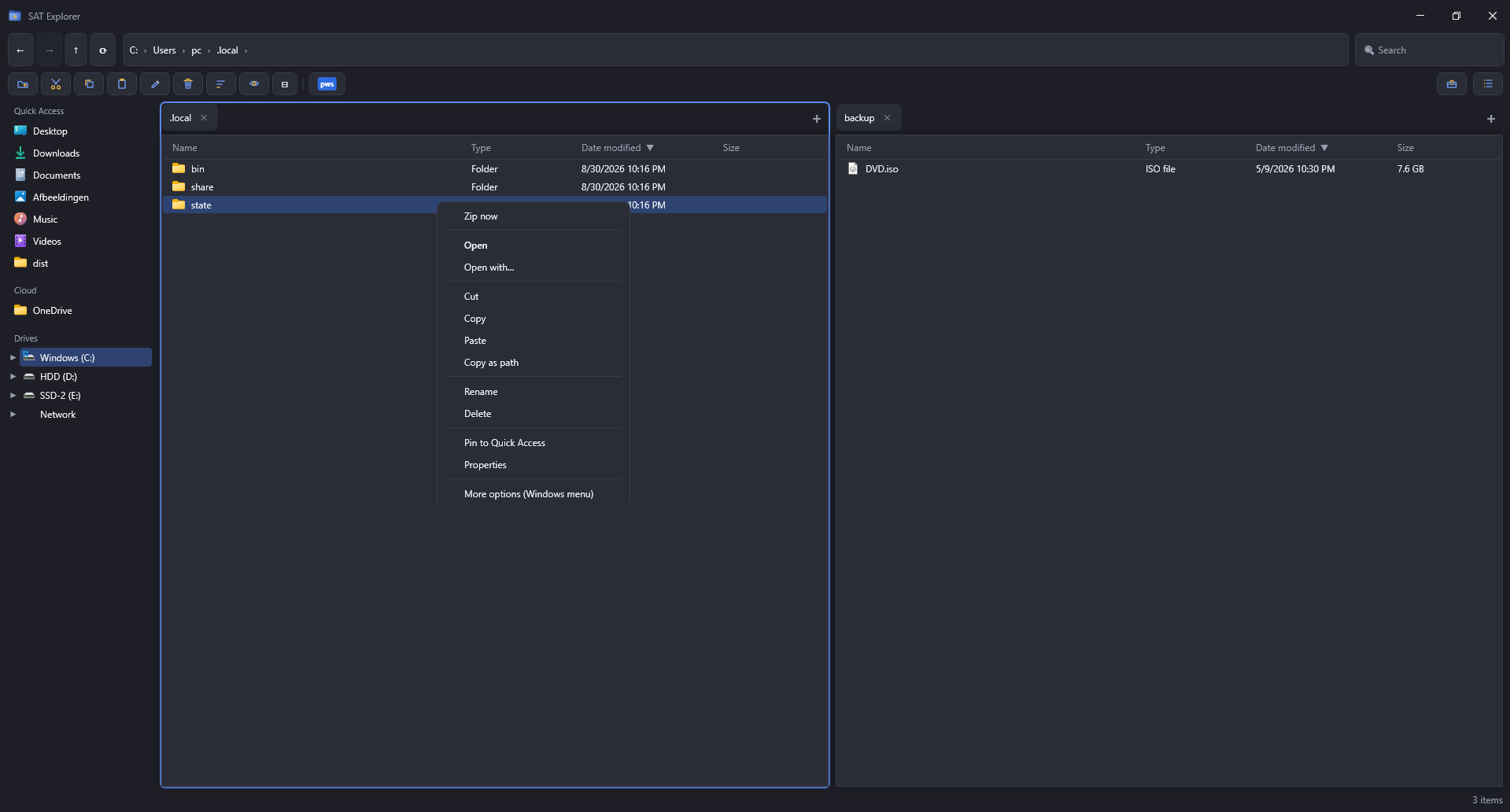
A real screenshot of SAT Explorer: two panes with their own tabs, quick access, drives and a toolbar for everyday file work. A few personal folder names were changed before publishing.
Who does what
- AppWPF windows, skins and quality detection
- CoreEngine: models, services, view models. No WPF
- ShellWin32 calls: enumeration, icons, context menus

